
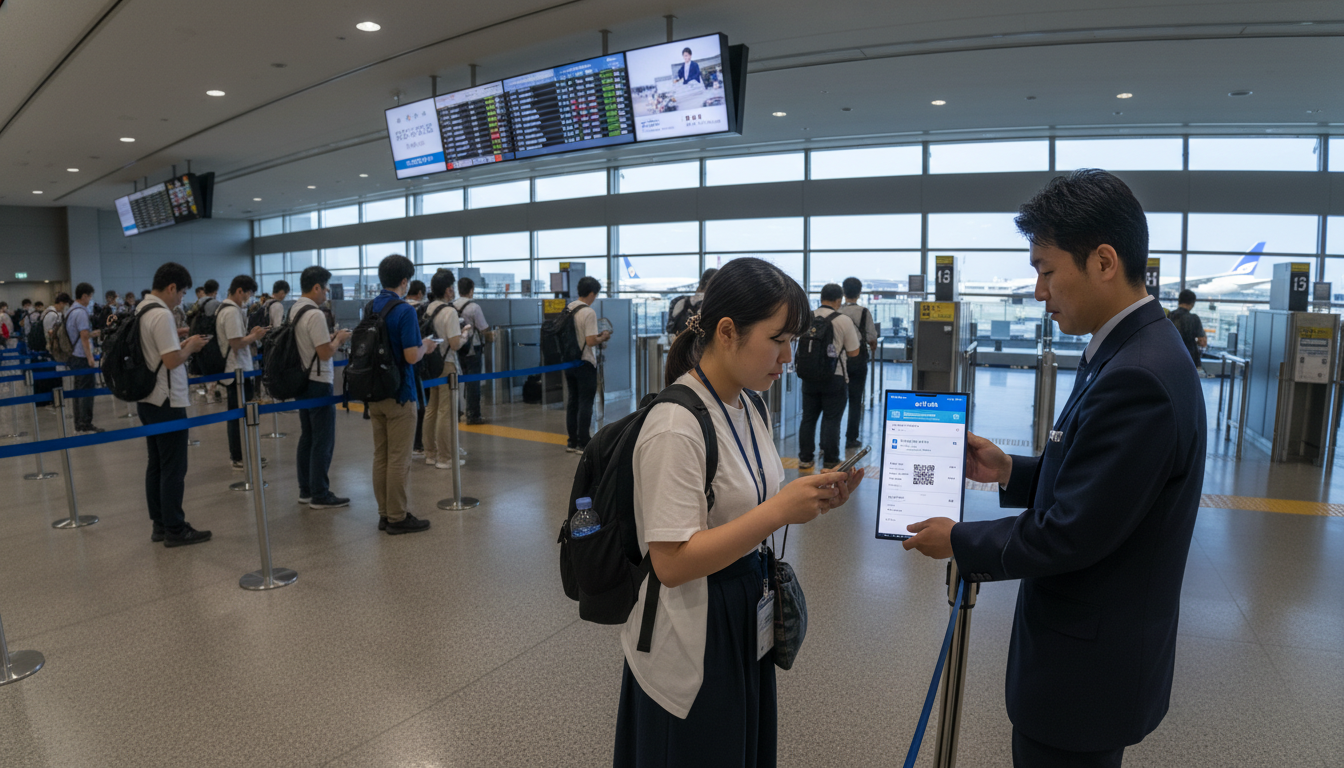
Japan eVISA: New live‑display rule means travellers must have mobile data at airport
Japan eVISA now requires travellers to display the Visa Issuance Notice live on a connected device at departure and arrival, so securing an eSIM or roaming ahead of travel is essential.
Japan’s electronic short‑term visa system, commonly called the Japan eVISA, has introduced strict presentation rules that are catching some visitors by surprise. The system issues a digital Visa Issuance Notice that must be shown online—screenshots, PDFs and printed copies are not accepted—so travellers need reliable internet at airline check‑in and again at Japanese immigration. (mofa.go.jp)
Eligibility and application routes for the JAPAN eVISA
The JAPAN eVISA covers a defined group of countries and residents who may apply online for a short‑term tourist visa. Residents of several countries can use the central eVISA portal directly, while others must apply through an accredited travel agency under the terms published by the Ministry of Foreign Affairs (MOFA). (mofa.go.jp)
MOFA’s official guidance lists eligible countries and details which applicants should use the online portal versus an agency channel, and it clarifies that only holders of ordinary passports for short‑term tourism are covered. Applicants from visa‑exempt countries are not intended to use the eVISA route. Travellers should consult the diplomatic mission for their jurisdiction to confirm proper application channels. (mofa.go.jp)
Live Visa Issuance Notice must be shown at airline check‑in and immigration
A central operational requirement for the Japan eVISA is that the Visa Issuance Notice be displayed live on a device with internet access at airline check‑in and again on arrival at Japanese immigration. MOFA explicitly states that PDF downloads, screenshots and printed copies will not be accepted as valid proof of an issued eVISA. This rule applies at both departure and arrival controls. (mofa.go.jp)
Because the eVISA is issued electronically rather than as a sticker in a passport, the authorities rely on the portal’s live display to confirm the visa status and identity match the traveler’s passport. Travellers should therefore ensure they can log into the JAPAN eVISA portal and pull up the issuance notice while standing at the counter. (mofa.go.jp)
Why connectivity matters: airport Wi‑Fi, eSIMs and cellular roaming
Airport Wi‑Fi in many countries and in Japan is available but not guaranteed for the rapid, secure log‑in needed to display an official visa notice. Public or guest networks can be slow, congested, or require additional verification steps that complicate a time‑sensitive check‑in process. Relying on airport Wi‑Fi alone creates avoidable risk at both departure and arrival. (evisa.mofa.go.jp)
For most travellers the simplest solution is to secure mobile data in advance—either by arranging a local eSIM before departure or by confirming that their carrier’s roaming plan will provide reliable data on arrival. An activated eSIM lets you open the JAPAN eVISA portal and show the live notice immediately, even before you reach baggage claim or a rental Wi‑Fi kiosk. Travel agents and online guides recommend buying an eSIM that supports activation outside Japan to avoid delays. (evisa.mofa.go.jp)
Which nationalities must apply via an accredited agency
MOFA’s published lists and notices make a clear distinction between applicants who may use the eVISA portal directly and those required to route their application through an accredited travel agency. Citizens or residents of certain countries must use an agency intermediary even though the end result is an electronic visa. This measure is part of MOFA’s phased rollout and administrative protocol. (mofa.go.jp)
Because agency rules vary by jurisdiction, applicants in countries that require agency processing should check the Japanese embassy or consulate page that covers their place of residence for the list of approved agencies and country‑specific instructions. Relying on third‑party agencies also changes timelines and document requirements, so factor additional processing time into travel planning. (mofa.go.jp)
Consequences of incomplete or incorrect eVISA applications
The Japan eVISA process is unforgiving when it comes to errors or missing documentation: MOFA notes that applications with incomplete or incorrect materials may be cancelled rather than held for correction. A cancelled application requires a full resubmission, which can significantly delay travel plans. Prospective visitors must therefore verify their passport scan, photograph and supporting documents carefully before submission. (mofa.go.jp)
Common causes of cancellation include mismatched travel dates, incorrect passport numbers, non‑compliant photos, and documents that do not meet the file or format specifications defined by the portal. Applicants should also confirm that the passport used for the eVISA remains valid and that any renewed passport details are updated prior to travel, because the eVISA ties to a specific passport number. (japan-visa.com)
Practical checklist for travellers before departure
Begin by confirming whether you need the Japan eVISA at all; citizens of visa‑exempt countries should not apply via the portal and risk an unnecessary electronic visa that could complicate entry. If you do need an eVISA, check MOFA’s eligibility lists for your place of residence and whether a local accredited agency is required. Make these confirmations at least several weeks before your trip. (mofa.go.jp)
Prepare compliant photos and scans: adhere to the portal’s specifications for file type, size and background, and ensure your passport scan is clear and complete. Allow extra lead time for application processing, especially during peak travel seasons, and avoid last‑minute submissions that leave no margin for correction or re‑filing. (japan-visa.com)
Secure mobile data before you fly: buy and activate an eSIM that supports Japan, or confirm roaming arrangements with your carrier. Test log‑in to the JAPAN eVISA portal from your device in advance and store your account credentials in a secure but accessible place. Remember that screenshots and printouts are not acceptable, so the ability to authenticate and display the live issuance notice matters more than ever. (mofa.go.jp)
Pack supporting documentation you may be asked to show at check‑in: return or onward tickets, hotel bookings or proof of funds, and any health or travel declarations required by your airline. While these items are standard, missing paperwork combined with eVISA issues can prompt denial of boarding or longer secondary inspections at arrival. Double‑check that dates and names match exactly across all documents and the eVISA record. (japan-visa.com)
At the airport: how check‑in and immigration will use the eVISA display
At airline check‑in you will be required to show the live Visa Issuance Notice in addition to your passport and ticket. Airlines are responsible for ensuring travellers meet entry requirements at destination, so they may refuse boarding if they cannot verify the eVISA online in real time. Allow extra time at departure to avoid a rushed or stressful check‑in. (sf.us.emb-japan.go.jp)
On arrival in Japan, immigration officers will also ask to view the visa issuance screen. Since the eVISA is electronic, immigration’s confirmation will be based on the portal’s live display and matching it to the passport presented. If you cannot access the portal because of connectivity problems or a device failure, you should expect delays and possible secondary screening. For these reasons, keep your device charged and have a backup plan for data access. (mofa.go.jp)
How travel agents and airlines are responding
Airlines and travel agencies are increasingly adding guidance about the eVISA display requirement to their pre‑departure communications, and some ticketing systems now prompt agents to ask about eVISA status when confirming international itineraries. Where applicants must use an accredited agency, those agencies often bundle document checks to reduce cancellation risk and to ensure the Visa Issuance Notice can be retrieved by the traveller. (mofa.go.jp)
That said, practices vary by carrier and airport, and staff familiarity with the portal can differ. Travellers should not assume airport personnel will troubleshoot access issues; having the issuance notice visible when you present yourself is the most reliable way to clear check‑in and immigration without delay. (sf.us.emb-japan.go.jp)
Tips for mobile readiness and troubleshooting
Before you go, install any necessary apps, update your device operating system, and confirm the browser you plan to use is compatible with the JAPAN eVISA portal. Save your login credentials securely, and if possible test the portal from your phone while connected to your home or hotel Wi‑Fi to verify you can reach the relevant pages. These simple steps reduce the chance of a last‑minute problem. (evisa.mofa.go.jp)
Bring a fully charged power bank and a short, reliable cable so your phone can remain powered through long layovers and airport waits. If you have a second device—a tablet or a spare phone—set it up as a backup display option. Having a second device with mobile data provides redundancy in case one device malfunctions. (evisa.mofa.go.jp)
Final preparations should include confirming any agency contact details if you used an accredited intermediary, and noting the Japanese diplomatic mission phone number in your country of residence for emergency guidance. If your application shows a status change that you do not understand, contact the embassy, consulate or the eVISA helpdesk well before travel; last‑minute corrections are rarely possible. (mofa.go.jp)
The Japan eVISA offers a streamlined electronic route for eligible short‑term visitors, but the requirement to display the Visa Issuance Notice live creates a new operational dependency on mobile connectivity. Travellers who prepare their documents carefully, secure an eSIM or roaming, and test access before leaving home will avoid the most common problems and have a smoother arrival and check‑in experience.

